
The eCommerce industry is growing rapidly, and Shopify has become one of the most popular platforms for entrepreneurs who want to start an online business. Whether you plan to sell clothing, electronics, beauty products, digital products, or handmade items, Shopify provides everything you need to launch your online store.
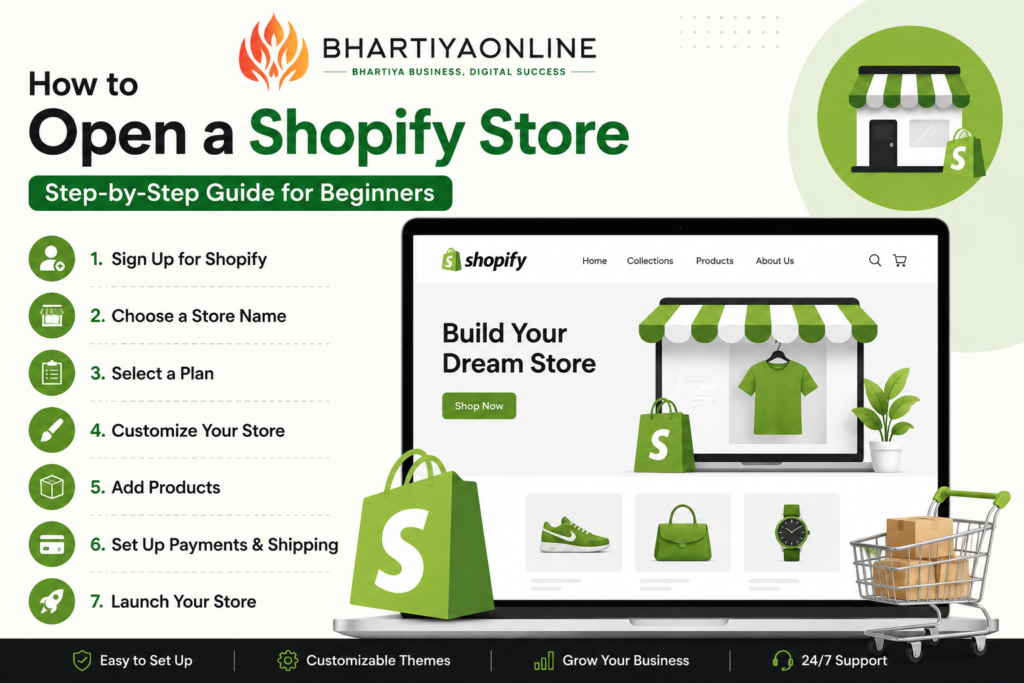
What is Shopify?
Shopify is a cloud-based eCommerce platform that allows businesses to create, manage, and grow online stores without requiring advanced technical knowledge.
With Shopify, you can:
- Create a professional online store
- Manage products and inventory
- Accept online payments
- Process orders
- Run marketing campaigns
- Track sales and customer behavior
Step 1: Sign Up for Shopify
Visit Shopify’s website and create an account.
You’ll need to provide:
- Email address
- Password
- Store name
Shopify offers a free trial that allows you to explore the platform before committing to a paid plan.
Step 2: Choose Your Store Name
Your store name should be:
- Easy to remember
- Relevant to your products
- Unique and brandable
- Easy to spell
Examples:
- Trendy Fashion Hub
- Eco Essentials
- FitLife Nutrition
- Home Decor Studio
A strong brand name helps build trust and improve customer recall.
Step 3: Select a Shopify Plan
Shopify offers multiple pricing plans suitable for businesses of different sizes.
Consider factors such as:
- Expected sales volume
- Team size
- Advanced reporting needs
- International selling requirements
You can upgrade your plan as your business grows.
Step 4: Choose a Professional Theme
The appearance of your online store significantly impacts customer trust.
When selecting a theme:
- Ensure mobile responsiveness
- Choose a clean layout
- Focus on user experience
- Prioritize fast loading speed
Shopify provides both free and premium themes to suit different business needs.
Step 5: Add Your Products
Navigate to the Products section and upload:
Product Title
Use keyword-rich product names.
Product Description
Include:
- Product features
- Benefits
- Specifications
- Usage instructions
Product Images
Upload high-quality images from multiple angles.
Pricing
Set competitive pricing and compare with market standards.
Inventory
Track stock levels to avoid overselling.
Step 6: Configure Payment Methods
To accept payments, connect payment gateways such as:
- Shopify Payments
- Razorpay
- PayPal
- Stripe
- Other local payment providers
Offer multiple payment options to improve conversions.
Step 7: Set Up Shipping
Configure shipping settings based on:
- Delivery locations
- Product weight
- Shipping charges
- Delivery timelines
You can offer:
- Free shipping
- Flat-rate shipping
- Real-time carrier rates
Step 8: Purchase a Custom Domain
A custom domain improves brand credibility.
Example:
Instead of:
yourstore.myshopify.com
Use:
www.bhartiyaonline.com
A professional domain also supports SEO and brand recognition.
Step 9: Optimize Your Shopify Store for SEO
Search Engine Optimization helps your store rank higher on Google.
Use Target Keywords
Include relevant keywords naturally throughout your website.
Optimize Product Pages
Use:
- SEO-friendly titles
- Meta descriptions
- Alt text for images
Create Blog Content
Regular blogging can drive organic traffic.
Improve Site Speed
Fast-loading stores perform better in search rankings.
Build Backlinks
Earn links from relevant websites to improve authority.
Step 10: Launch Your Store
Before launching, verify:
- Product listings
- Payment setup
- Shipping settings
- Mobile responsiveness
- Contact information
- Privacy policy
- Terms and conditions
Once everything is ready, remove password protection and start promoting your store.
Tips for Growing Your Shopify Store
Use Social Media Marketing
Promote products on:
Run Paid Advertising
Leverage:
- Google Ads
- Meta Ads
- YouTube Ads
Build an Email List
Collect customer emails for promotions and repeat sales.
Focus on Customer Experience
Provide excellent support and fast response times.
Analyze Performance
Use Shopify Analytics and Google Analytics to monitor growth.
Conclusion
Opening a Shopify store is easier than ever. By choosing the right products, optimizing your website, and implementing effective marketing strategies, you can build a successful online business. Shopify provides all the tools needed to create, manage, and scale your eCommerce brand.
Start with a clear business idea, focus on customer satisfaction, and continuously improve your store to achieve long-term success.
Frequently Asked Questions (FAQs)
1. Is Shopify good for beginners?
Yes, Shopify is one of the most beginner-friendly eCommerce platforms and requires minimal technical knowledge.
2. How much does it cost to open a Shopify store?
The cost depends on the Shopify plan, domain registration, apps, and marketing expenses.
3. Can I sell products internationally on Shopify?
Yes, Shopify supports international sales with multiple currencies and payment options.
4. Do I need coding skills to create a Shopify store?
No. Shopify provides ready-made themes and drag-and-drop customization tools.
5. How long does it take to launch a Shopify store?
A basic Shopify store can be launched within a few hours, while a fully optimized store may take several days.
6. Can I use my own domain name with Shopify?
Yes, you can purchase a new domain or connect an existing domain to your Shopify store.
7. Is Shopify SEO-friendly?
Yes, Shopify includes built-in SEO features that help improve search engine visibility.
8. What products can I sell on Shopify?
You can sell physical products, digital products, subscriptions, services, and more.
9. Which payment methods does Shopify support?
Shopify supports multiple payment gateways including Shopify Payments, PayPal, Stripe, and regional providers.
10. Can I start a Shopify store with a small budget?
Yes, many entrepreneurs start Shopify stores with minimal investment and scale as sales grow.